Updates
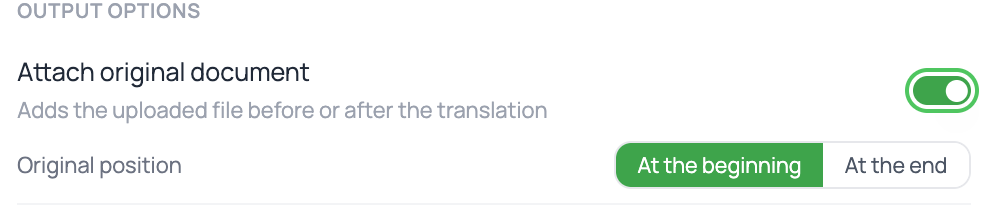
Attach the original document to your delivery
Many agencies ask to see the original document alongside the translation. Until now, you had to merge the two files yourself after downloading them. Not anymore.
How it works
- Go to the Review step of your order.
- In the delivery options, you'll find the toggle to attach the original document.
- Choose whether you want the original at the beginning or at the end of the delivered document.
- Download: the file comes out with both parts combined into a single document.
Good to know
- Your choice is saved with the order — if you come back to it later, it's exactly as you left it.
- It works with all the different delivery formats, so it won't force you to change how you work.
- If you don't turn it on, delivery works exactly as it always has.
When to use it
When the recipient needs to cross-check the translation against the original, when you're sending the complete file to an agency, or when you want a single document as a record of what was translated.
FAQ
Does it count as extra pages? No. The original is attached to the delivered document; you're still only charged for what was processed.
Can I change my mind after downloading? Yes. Go back to the order, change the position, and download again — the file is generated on the spot.
Does it also get attached to the certificate? The certificate is a separate document and stays unchanged.
Back to the full list in Platform Updates.