Updates
Automatic headers and footers
This is the biggest update of the summer. Until now, reproducing an official document's letterhead across every page was manual work. Now the platform does it for you.
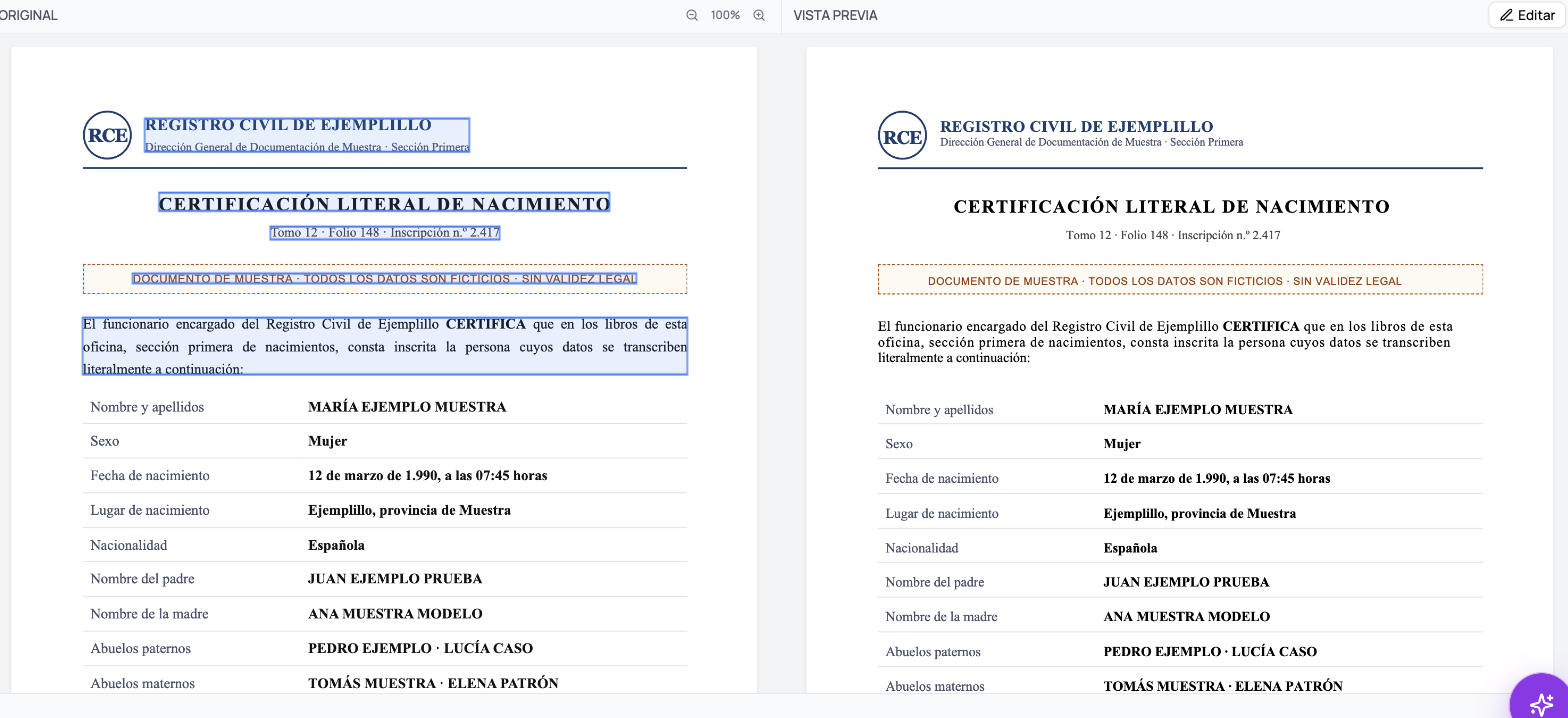
What it does
- Detects the letterhead and footer of the original document.
- Repeats them on every page, just like Word would with a real header.
- Page numbering is real numbering, not a hand-typed number — if the document grows, it renumbers itself.
How to edit it
Double-click the header or footer in the Review editor. They switch into edit mode and the rest of the document dims, just like in Word. Click outside, and they lock back in place.
The first time you visit, a quick walkthrough shows you the gesture.
What came along with it
- The font picker went from 15 to 45 fonts.
- Page size (Letter, A4, or Legal) and orientation are now detected from the original document, instead of always defaulting to Letter.
- Dozens of typographic-fidelity fixes: margins, line spacing, indents, and alignment checked page by page against the original document.
Tips
- If the original's letterhead has a logo, it stays right where it is — no need to crop it or re-insert it.
- When a document doesn't have a footer, none gets invented.
- If you'd rather the letterhead only appear on the first page, adjust that right from the header itself.
FAQ
Can it be removed entirely? Yes — clear its content and the band stops printing.
Does the numbering count the attached original document? It numbers the delivered document exactly as it appears when downloaded.
Back to the full list in Platform Updates.